Skip to content
A high bounce rate is one of the most common challenges website owners face. Whether you run a business website, an online store, a blog, or a digital marketing agency, keeping visitors engaged is essential for achieving your goals. If users leave your website after viewing only one page without interacting further, it may indicate that your content or user experience is not meeting their expectations.
Bounce rate is an important website performance metric because it reflects how effectively your pages encourage visitors to continue exploring. While a high bounce rate isn’t always a bad sign—for example, if a visitor finds the exact answer they need on a single page—it can often highlight issues such as slow loading speeds, poor content, confusing navigation, or a mismatch between search intent and page content.
Reducing bounce rate improves user engagement, increases the likelihood of conversions, strengthens customer trust, and supports better search engine optimization (SEO). In this guide, you’ll learn what bounce rate is, why it matters, and practical strategies to reduce it and improve your website’s overall performance.
What Is Bounce Rate?
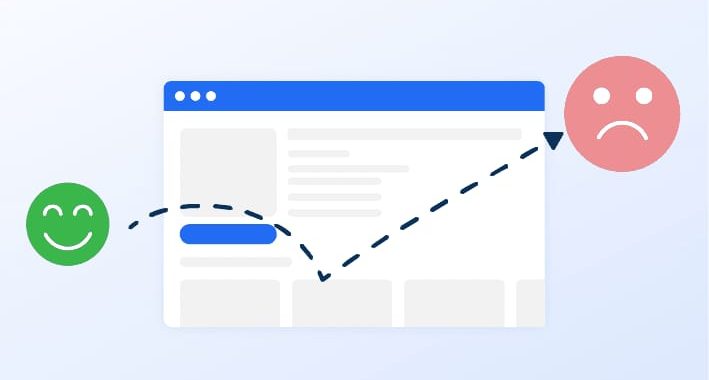
Bounce rate is the percentage of visitors who leave your website after viewing only one page without taking another action, such as clicking a link, visiting another page, or submitting a form.
For example-
A visitor lands on your homepage.
-
They read the content.
-
They close the browser without clicking anywhere else.
This visit is counted as a bounce.
Although bounce rate is only one metric among many, it provides useful insight into how engaging your website is.
Why Bounce Rate Matters
A high bounce rate may indicate that-
-
Visitors are not finding what they expected.
-
Pages load too slowly.
-
Navigation is confusing.
-
Content is not engaging.
-
The website isn’t optimized for mobile devices.
Lowering bounce rate can help-
-
Improve user engagement
-
Increase conversions
-
Encourage longer browsing sessions
-
Build customer trust
-
Improve overall website performance
Rather than focusing on bounce rate alone, businesses should consider it alongside other metrics such as engagement time, conversions, and page views.
Common Reasons for a High Bounce Rate
Understanding why visitors leave is the first step toward solving the problem.
Common causes include-
-
Slow-loading pages
-
Poor mobile experience
-
Weak content quality
-
Misleading page titles
-
Difficult navigation
-
Too many pop-ups
-
Technical errors
-
Poor website design
-
Irrelevant traffic
-
Lack of internal links
Identifying these issues allows you to make targeted improvements.
1. Improve Website Loading Speed
Visitors expect websites to load within a few seconds. Even small delays can cause users to leave before engaging with your content.
Ways to improve speed-
-
Compress images.
-
Use modern formats such as WebP.
-
Enable browser caching.
-
Minify CSS and JavaScript.
-
Choose reliable hosting.
-
Use a Content Delivery Network (CDN).
A faster website creates a better first impression and encourages visitors to stay longer.
2. Match Content to Search Intent
People visit your website expecting answers to specific questions.
If your page title promises one thing but the content delivers something different, visitors are likely to leave immediately.
Before publishing content, ask-
-
Does this page answer the user’s question?
-
Is the information complete?
-
Is it easy to understand?
-
Does it provide practical value?
Meeting user expectations is one of the best ways to reduce bounce rate.
3. Create High-Quality Content
Content should educate, inform, or solve a problem.
Effective content is-
-
Original
-
Well researched
-
Easy to read
-
Up to date
-
Organized with headings
-
Supported by examples
Break long paragraphs into shorter sections and use bullet points where appropriate to improve readability.
4. Improve Website Navigation
Visitors should be able to find additional information without difficulty.
Good navigation includes-
-
Clear menus
-
Organized categories
-
Search functionality
-
Breadcrumb navigation
-
Visible contact information
Simple navigation encourages users to explore more pages instead of leaving after one visit.
5. Add Internal Links
Internal links guide visitors toward related articles, products, or services.
Examples include-
-
Related blog posts
-
Service pages
-
Product categories
-
FAQ pages
-
Case studies
Internal linking helps users discover more content while improving website structure for search engines.
6. Optimize for Mobile Devices
Most users now browse websites on smartphones.
Ensure your website-
-
Uses responsive design
-
Displays readable text
-
Has touch-friendly buttons
-
Loads quickly
-
Avoids horizontal scrolling
A smooth mobile experience reduces frustration and increases engagement.
7. Use Attractive Headlines
Your headline determines whether visitors continue reading.
An effective headline should-
-
Clearly describe the topic
-
Spark curiosity
-
Include relevant keywords
-
Match the page content
Avoid misleading clickbait titles that create false expectations.
8. Improve Readability
Visitors often scan content before deciding whether to continue reading.
Improve readability by-
-
Using short paragraphs
-
Including descriptive headings
-
Adding bullet points
-
Highlighting key ideas
-
Choosing readable fonts
-
Maintaining adequate spacing
Readable content encourages users to spend more time on your website.
9. Use High-Quality Visuals
Images, charts, screenshots, infographics, and videos make content more engaging.
Visuals help-
-
Explain complex concepts
-
Break up large sections of text
-
Capture attention
-
Improve user experience
Ensure all images are optimized so they do not slow down page loading.
10. Reduce Intrusive Pop-Ups
While pop-ups can generate leads, excessive or poorly timed pop-ups often annoy visitors.
Best practices-
-
Delay pop-ups until users have engaged with the page.
-
Keep them easy to close.
-
Show only relevant offers.
-
Avoid covering important content immediately after page load.
A less intrusive experience encourages visitors to continue browsing.
11. Improve Call-to-Action (CTA)
Every page should guide visitors toward the next step.
Examples include-
-
Read another article
-
Contact us
-
Request a quote
-
Download a guide
-
Subscribe to a newsletter
-
View our services
Clear CTAs encourage interaction and reduce single-page sessions.
12. Fix Technical Issues
Technical problems can drive visitors away quickly.
Regularly check for-
-
Broken links
-
404 error pages
-
Missing images
-
Redirect issues
-
JavaScript errors
-
Slow server response
Routine website maintenance helps create a smooth browsing experience.
13. Build Trust
Visitors stay longer on websites they trust.
Increase credibility by displaying-
-
Customer testimonials
-
Reviews
-
Certifications
-
Security badges
-
Contact information
-
Privacy policy
-
About Us page
Trust signals reassure visitors and encourage further exploration.
14. Optimize for Local Users
For local businesses, providing location-specific information can improve engagement.
Include-
-
Business address
-
Phone number
-
Operating hours
-
Service areas
-
Google Maps integration
-
Local keywords
Local relevance helps users quickly determine whether your business meets their needs.
15. Monitor Website Performance
Improvement requires continuous measurement.
Track metrics such as-
-
Bounce rate
-
Average engagement time
-
Pages per session
-
Conversion rate
-
Organic traffic
-
Returning visitors
Reviewing performance regularly helps identify opportunities for optimization.
Several tools help website owners understand visitor behavior and identify areas for improvement.
Popular options include
-
Google Analytics 4 (GA4)
-
Google Search Console
-
Microsoft Clarity
-
Hotjar
-
PageSpeed Insights
-
Lighthouse
-
GTmetrix
These tools provide insights into traffic sources, user behavior, page performance, and technical issues that may contribute to higher bounce rates.
Best Practices for Long-Term Success
Reducing bounce rate is not about making one change—it requires continuous optimization.
Follow these best practices-
-
Publish valuable, user-focused content.
-
Keep your website fast and responsive.
-
Update outdated pages regularly.
-
Add relevant internal links.
-
Improve navigation and page design.
-
Test different headlines and CTAs.
-
Monitor analytics and user behavior.
-
Focus on solving visitors’ problems.
Consistent improvements help build stronger engagement over time.
Reducing bounce rate is an essential part of improving website performance, user satisfaction, and long-term online success. While some single-page visits are perfectly normal, consistently high bounce rates can indicate opportunities to enhance your content, website speed, navigation, and overall user experience.
By understanding your audience’s needs, creating valuable content, optimizing for mobile devices, improving loading speed, strengthening internal linking, and guiding visitors with clear calls-to-action, you can encourage users to explore more pages and interact with your website. Regularly monitoring analytics and making data-driven improvements will help you identify what works best for your audience.
Ultimately, a lower bounce rate reflects a website that delivers value, meets user expectations, and creates a positive experience. These improvements not only increase engagement and conversions but also contribute to stronger SEO performance and sustainable business growth over time.
imunify-bot-check